Turn your vehicle screen into a drawing board
Draw with touch, erase, change the brush and save an image from a compatible in-vehicle or mobile browser. Drafts stay on the current device unless you choose eligible VatioLibre synchronization.
This link opens VatioBoard, the touch-first workspace where VatioLibre driving tools run.
Browser-based · No vehicle installation · Records start on this device
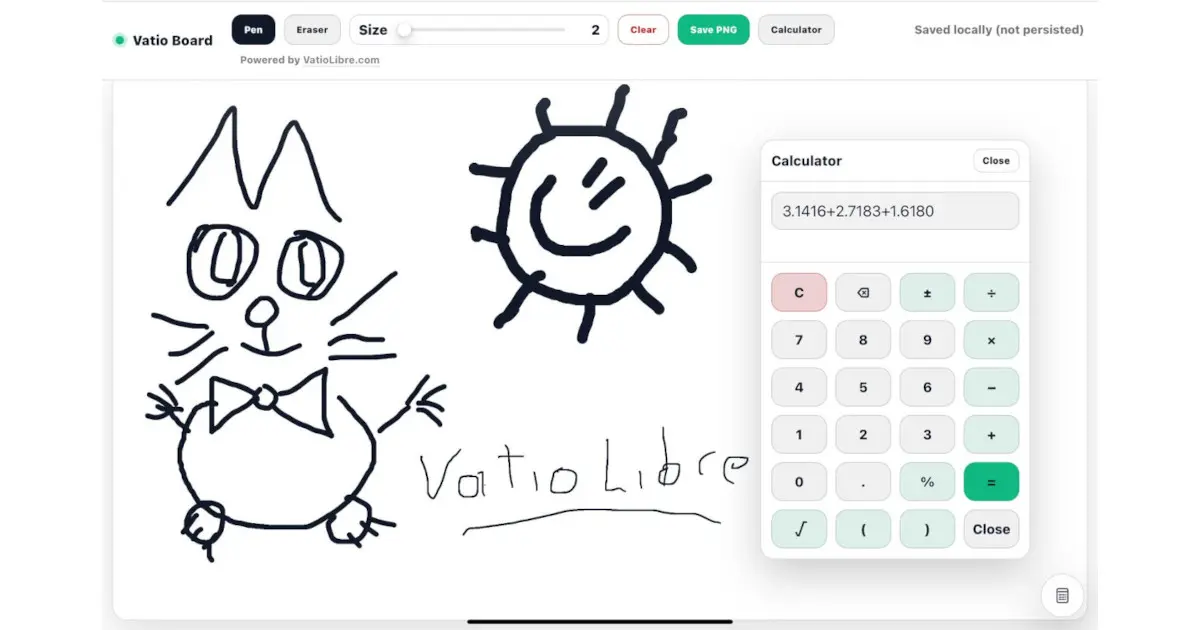
Drawing workflow
- Use touch or pointer input with pen and eraser modes.
- Adjust brush size, clear the canvas or save an image.
- Keep local drafts for recovery in the same browser.
- Synchronize eligible drawings to VatioLibre when cross-device access is needed.
Local and cloud copies
Local drafts depend on that browser's storage and can disappear when site data is cleared. Cloud synchronization is optional, private to the account and requires applicable access.
Designed for parked interaction
Drawing demands attention. Use the board only when the vehicle is safely parked and interaction is permitted.
Frequently asked questions
Can I use the drawing board without an account?
Yes. Core drawing and local drafts do not require a VatioLibre account.
Can I export a drawing?
The board includes an image-save workflow. Browser download behavior can vary.
Will local drafts survive browser data clearing?
No. Clearing site data can remove local drafts; optional cloud sync is intended for eligible cross-device recovery.
 VatioLibre