Get speed and camera alerts in an in-vehicle browser
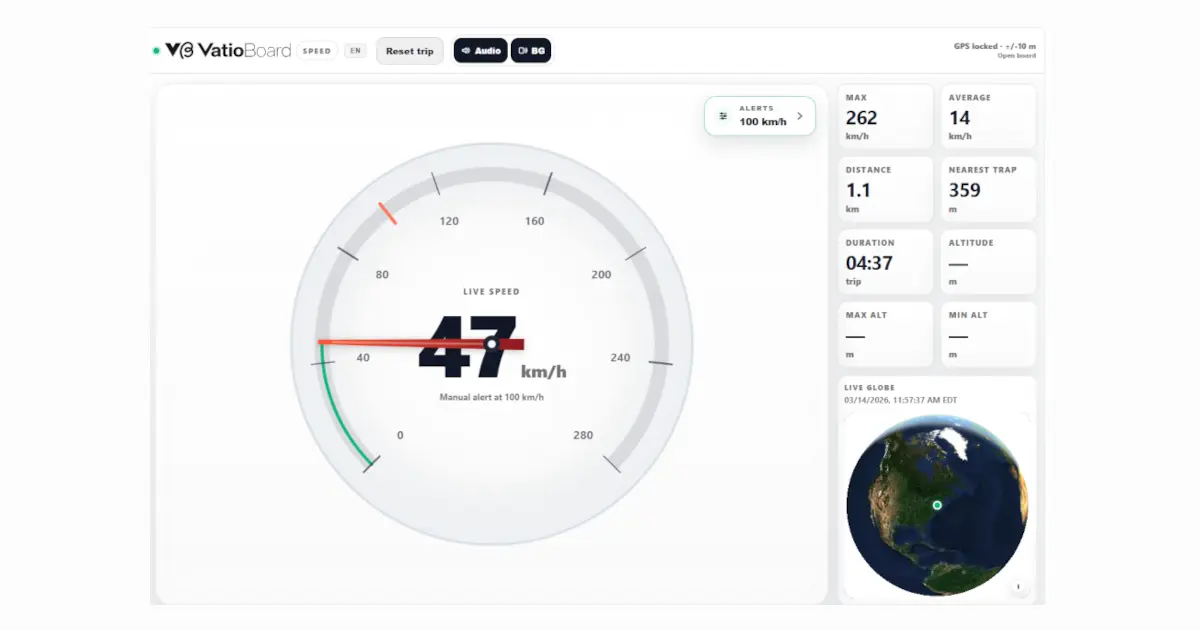
Set a speed alert and receive available camera warnings from the same browser-based GPS screen. VatioLibre matches cached camera data on the device and checks whether you are actually approaching a camera.
This link opens VatioBoard, the touch-first workspace where VatioLibre driving tools run.
Browser-based · No vehicle installation · Records start on this device
Alerts that consider the road ahead
- 1
Browser GPS supplies a position, movement and heading when available.
- 2
The driving tool loads the relevant regional camera artifact and caches it on the device.
- 3
Local matching evaluates distance, bearing, approach direction and decreasing distance.
- 4
Conservative fallbacks apply when road direction or heading information is incomplete.
- 5
Audio and visual warnings use the active preferences; browser audio may require a tap first.
Data and offline behavior
- Camera artifacts are derived from OpenStreetMap and supported official regional sources such as Colombia's ANSV data.
- Runtime matching occurs on the device rather than querying a live camera API for every position.
- Previously cached camera data can remain available offline and revalidates in the background when possible.
- Without cache or network, the speedometer can continue while camera alerts report that the database is unavailable.
Camera Map Beta
The optional map can follow the vehicle, switch orientation and display camera points, approach rules, direction and confidence details. Basemap providers receive standard map requests and can have separate privacy terms.
Important limitation
Camera databases are incomplete and can be outdated or unavailable in a region. A missing speed limit is treated as unknown, never zero. Alerts do not replace road signs, traffic law or driver attention.
Frequently asked questions
Will VatioLibre warn about every speed camera?
No. Coverage depends on available source data, device GPS, cached artifacts and matching quality.
Does camera lookup send my position to a live camera service?
The camera matching itself uses local artifacts on the device. Map tiles and artifact downloads can still involve network providers.
Why do I need to tap before hearing alerts?
Browsers commonly block audio until the user interacts with the page. The driving tool exposes an audio-arming action.
Can I use it offline?
Yes when the required app and camera data are already cached. The interface reports when camera data is unavailable.
 VatioLibre