Measure acceleration runs with GPS
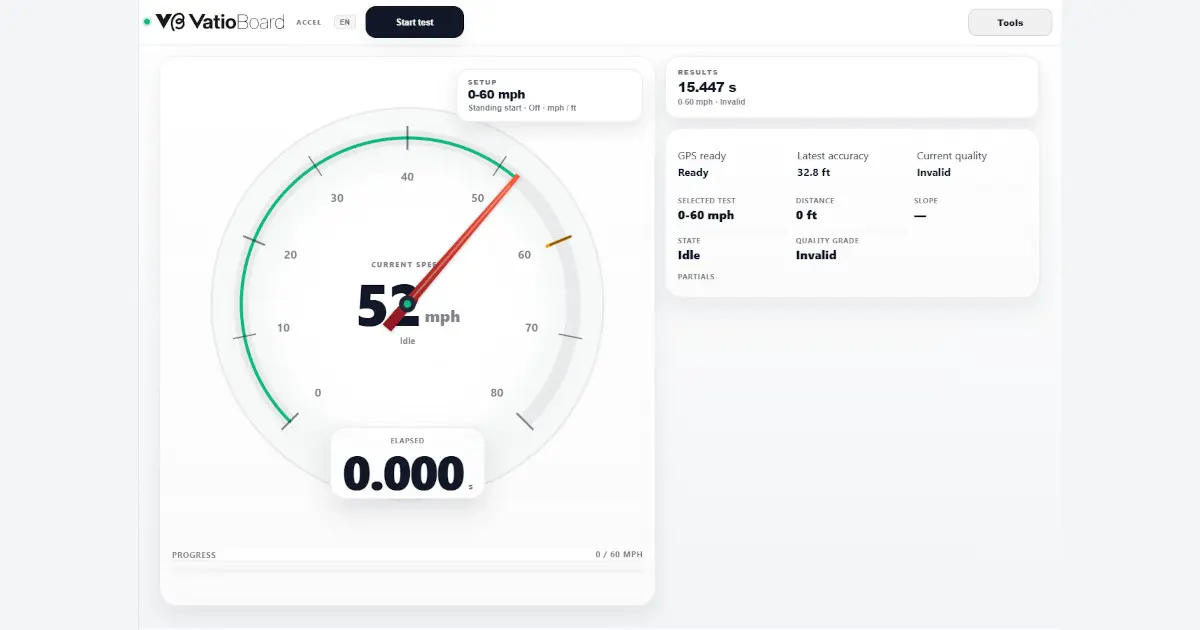
Choose a preset, record an acceleration run and review elapsed time, partials, distance and slope. Vatio Accel also grades the GPS evidence so you know how much confidence to place in the result.
This link opens VatioBoard, the touch-first workspace where VatioLibre driving tools run.
Browser-based · No vehicle installation · Records start on this device
From start to result
- 1
Choose a supported acceleration preset and units.
- 2
Wait for usable GPS quality and begin only in a safe, legal environment.
- 3
Vatio Accel detects the start and target-speed crossings from GPS samples.
- 4
Review elapsed time, partials, distance, slope and quality indicators.
- 5
Keep the run locally, inspect its map/charts or sync it to an eligible private library.
What quality means
Timing accuracy depends on browser GPS frequency, device accuracy, signal obstruction, slope and interpolation between samples. A run can be labeled invalid or partial when the evidence is insufficient.
Safety
This tool does not make a public road suitable for testing. Use it only where acceleration testing is lawful, controlled and safe. Never interact with the screen while the vehicle is moving.
Frequently asked questions
Is Vatio Accel the same as professional timing hardware?
No. It is a browser-GPS tool and should not be treated as certified motorsport instrumentation.
Why is my result invalid?
GPS accuracy, missing samples, an incorrect starting state or not reaching the target can invalidate a run.
Where are runs stored?
They are stored locally first. Eligible users can choose private VatioLibre synchronization.
 VatioLibre